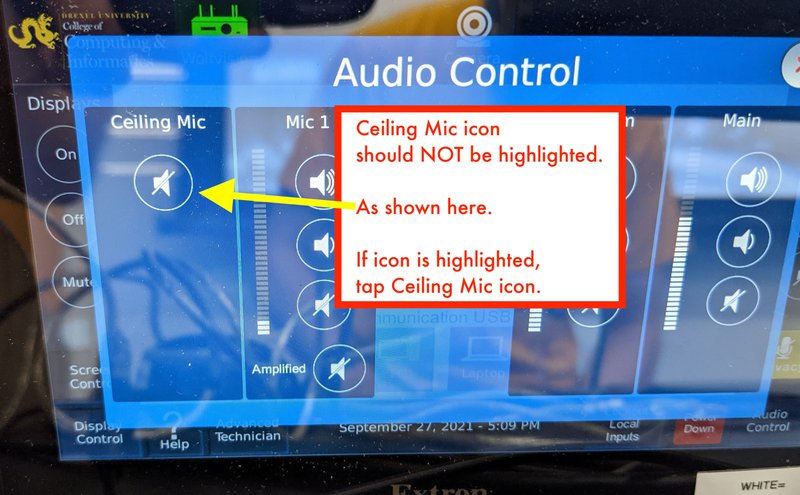
Privacy & Audio Controls for Echo360 and Zoom
Brief rundown of audio and privacy settings for CCI classroom technology
Echo360 is NOW named Echo Video, starting in 2023.
Short word doc version of these instructions.
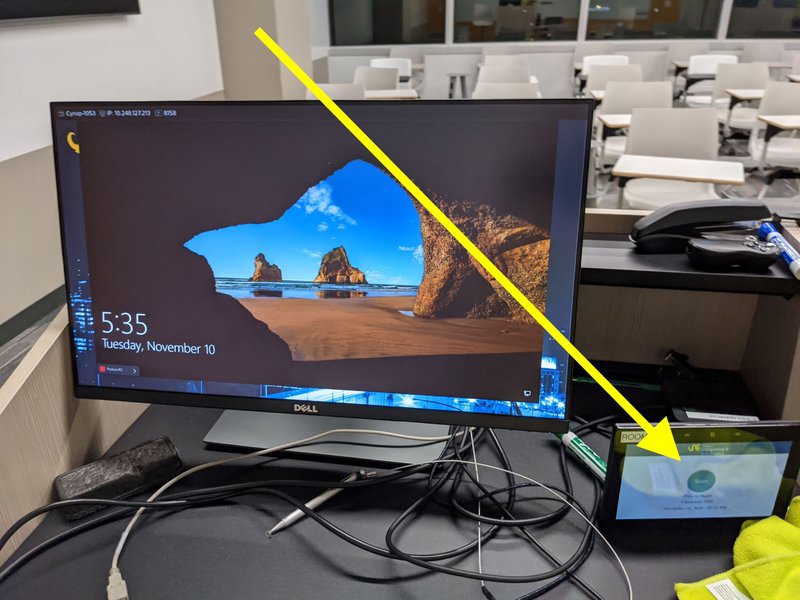
Step 1: Click "Start" button on classroom Extron control touch panel.
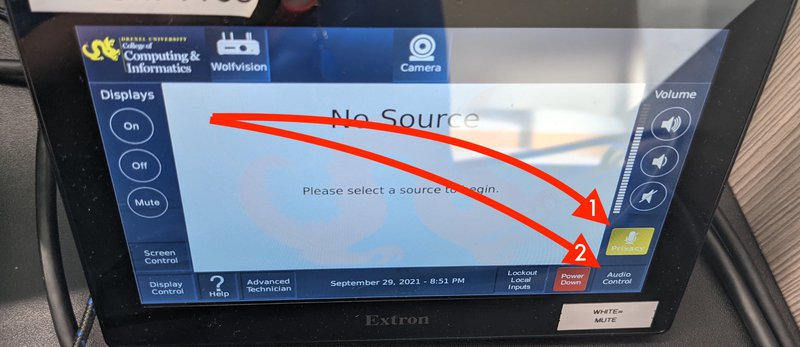
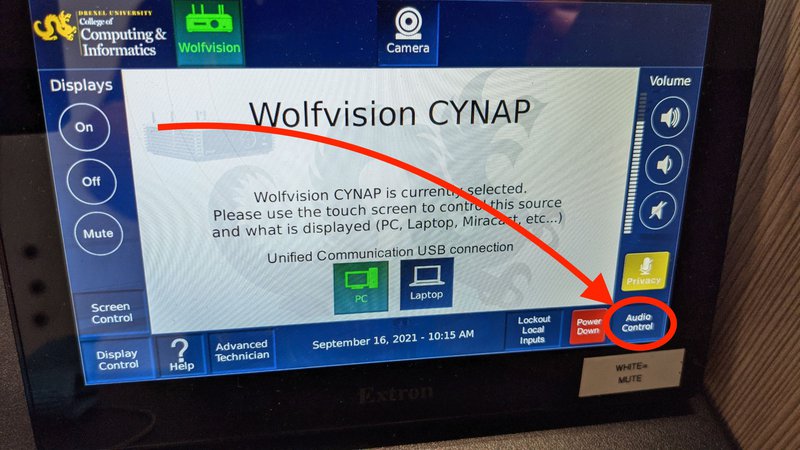
Step 2: The image below shows the location of the "Privacy" and "Audio Control" buttons on the Extron touch panel. The "Privacy" button is shown by the "1" arrow and the "Audio Control" button is shown by the "2" arrow.
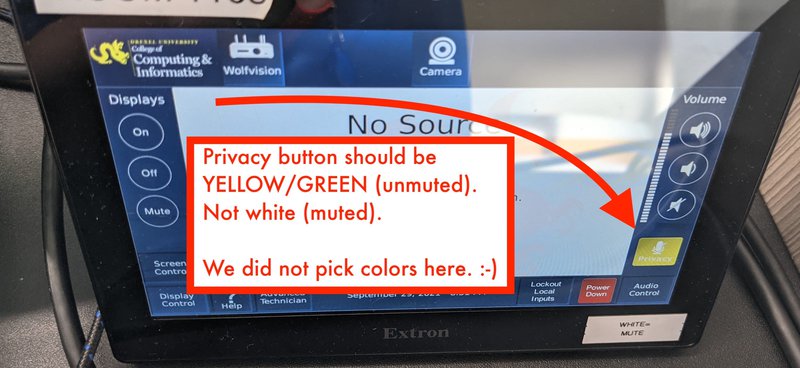
Step 3: Make sure that the "Privacy" button is unmuted.
It should be yellow, NOT white!
White means that it is muted.
Step 4: Now click the "Audio Control" button.
Step 5: Under "Audio Control," make sure "Ceiling Mic" on the left is not highlighted.