Combining PDF Files with "Raise without Handler!" Error
How to combine PDF files with Adobe Acrobat Pro DC with "Raise without Handler!" errors
Combining PDF Files with "Raise without Handler!" Error
- Try to uninstall and reinstall Adobe Acrobat DC Pro first
- Continue with the steps to find and run the eula.exe file if that does not work
- Open file explorer
Go to the path "C:\Program Files\Adobe\Acrobat DC\Acrobat" without the quotations
Scroll down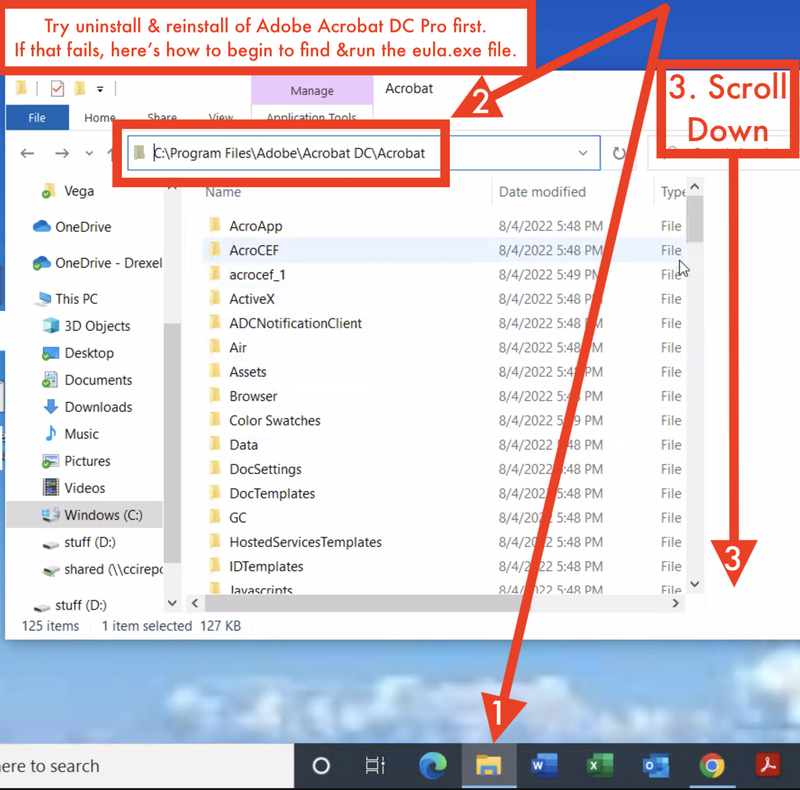
- Find the "Eula" or the "Eula.exe" file
Double-click the "Eula" or application or the "Eula.exe" file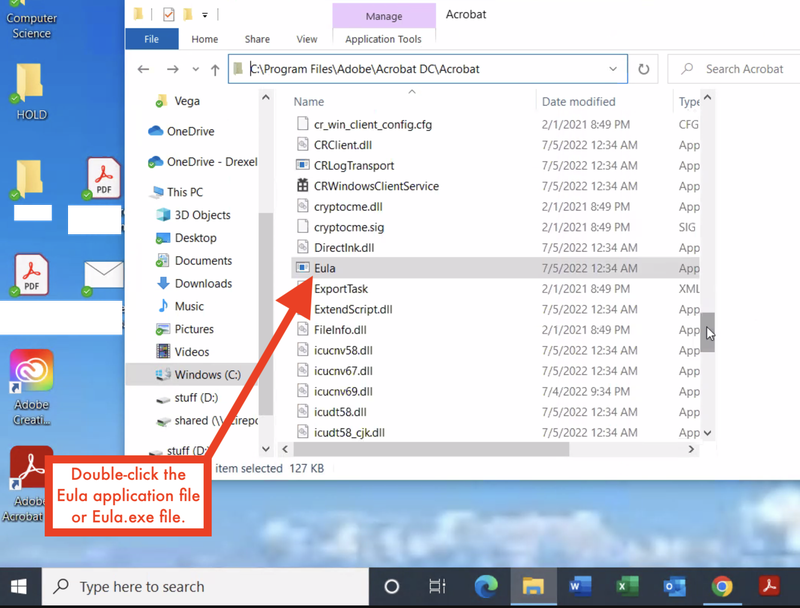
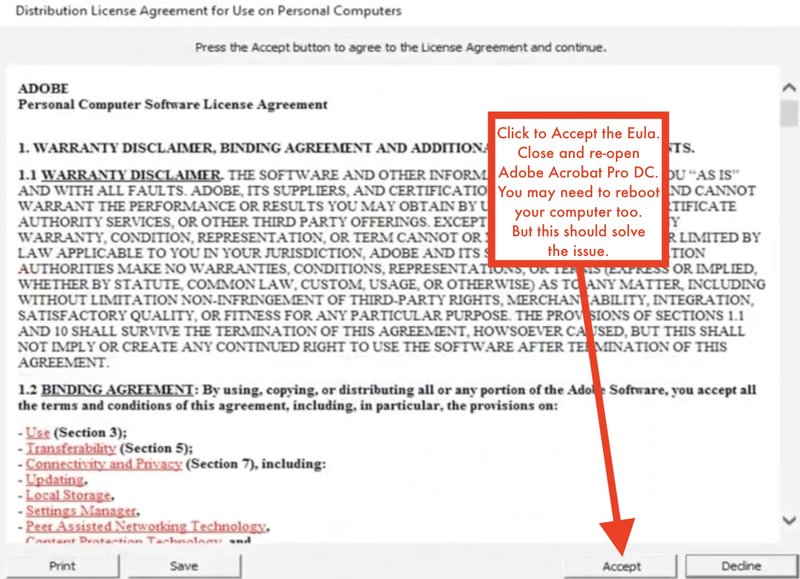
- Accept the Eula
Close and re-open Adobe Acrobat Pro DC
Reboot your computer if needed