
VPN Troubleshooting -- Error history panel
Here are the instructions on how to get error history in Cisco VPN.
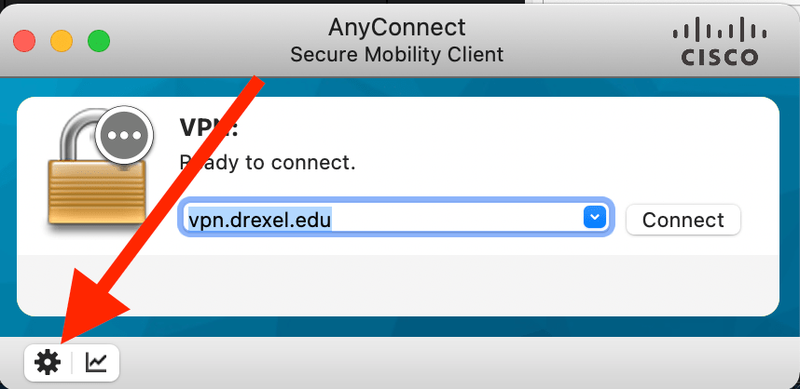
- Open the Cisco AnyConnect application. Click on Setting icon.
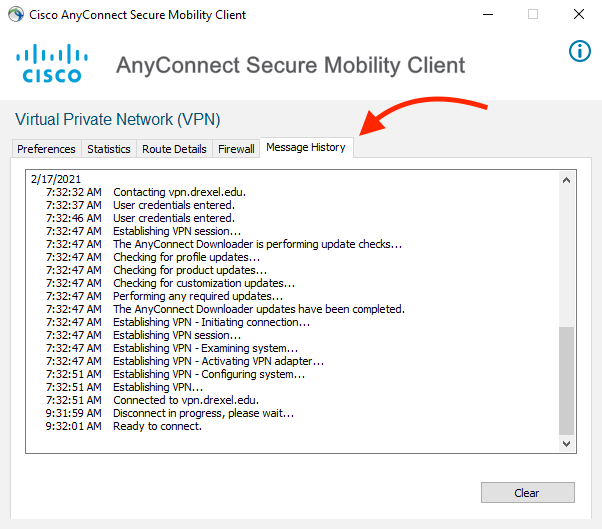
- Go to Message History tab to see history of the Cisco AnyConnect VPN.
Here are the instructions on how to get error history in Cisco VPN.
The CCI Commons help desk can walk you through it.