
Gitlab Fix for "Access Denied" Error -- Windows
Instructions on how to fix an error message in Gitlab saying "Access Denied". Keywords: Win10, Win 10, Windows 10, Windows 11, Win11, Win 11.
"Access denied" issues
can be solved by removing your cached credentials. Basically, Git likes
to save a copy of your username and password the first time you try
to connect to a Git site, and if you change your password on Gitlab,
you need to reset your stored credentials.
To remove them, you can follow the second response (with 240 upvotes) at https://stackoverflow.com/questions/15381198/remove-credentials-from-git
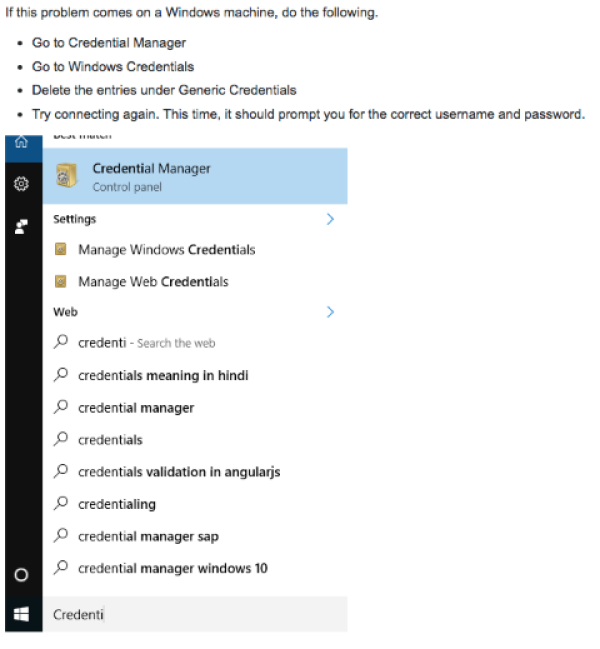
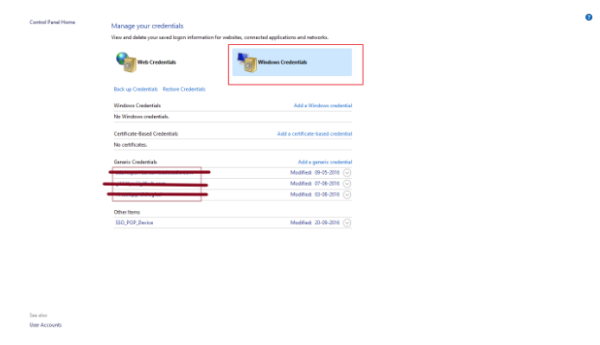
Once your credentials are cleared, you can try logging in again
User your Drexel abc123 username (no @drexel.edu) and Drexel password (as of SP 23).