Skip to content
Drexel University College of Computing & Informatics Technology Services and Support

Kaltura Auto Captioning for Accessibility

Info on Kaltura accessibility

Follow these instructions for Kaltura accessibility:

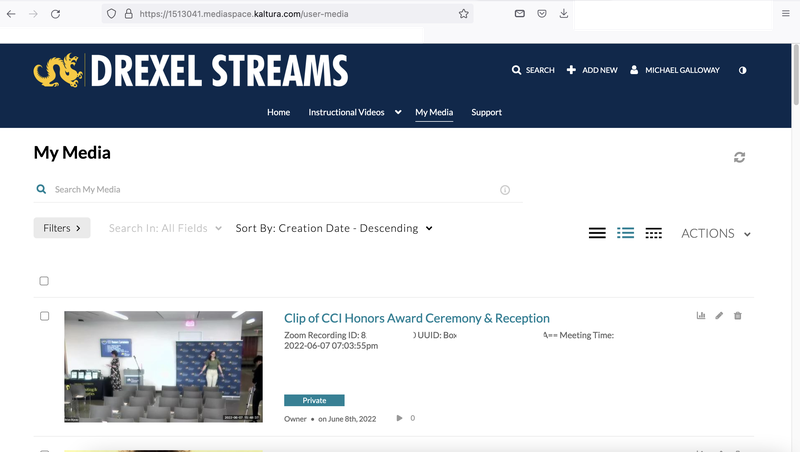
  1. Go to "My media"
Kaltura Auto-Captioning 1


2. Select a media file and then select "edit"
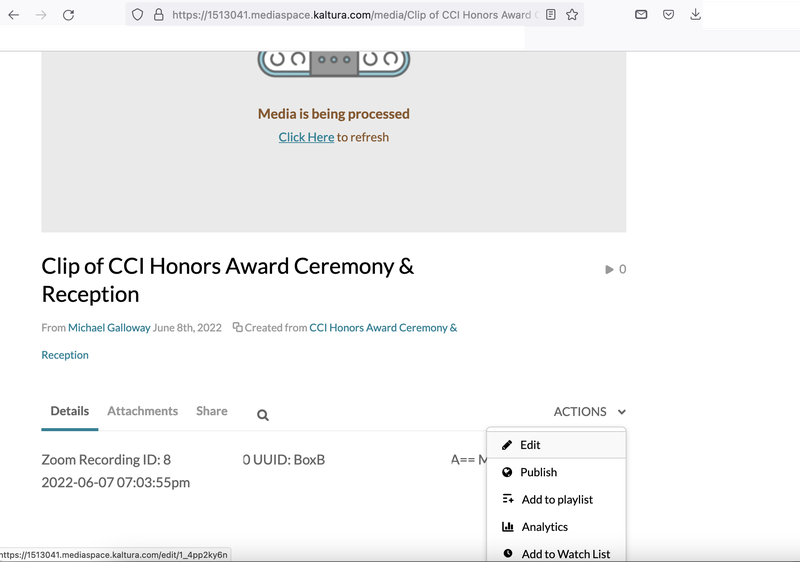

Kaltura Auto-Captioning 2


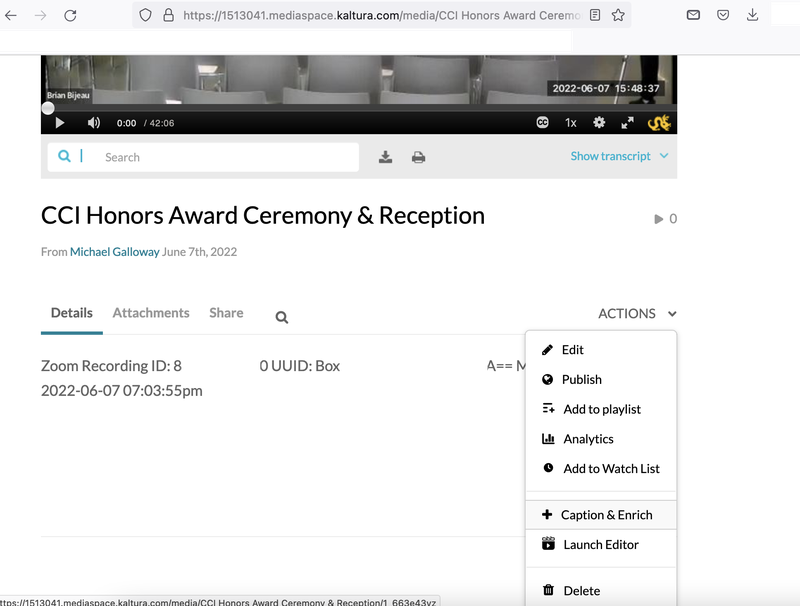
3. Then select "Captions + enrich"


Kaltura Auto-Captioning 4


4. Select "Captions". This shows the accuracy of the audio captions
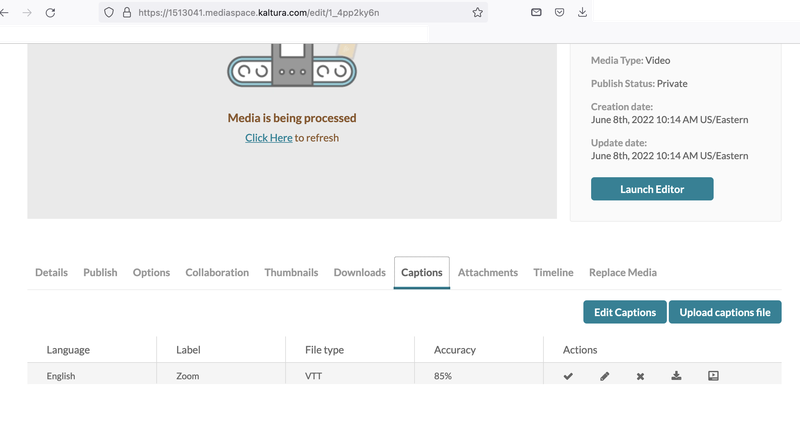

Kaltura Auto-Captioning 3

5. There is also the option to change the media language, service and the features
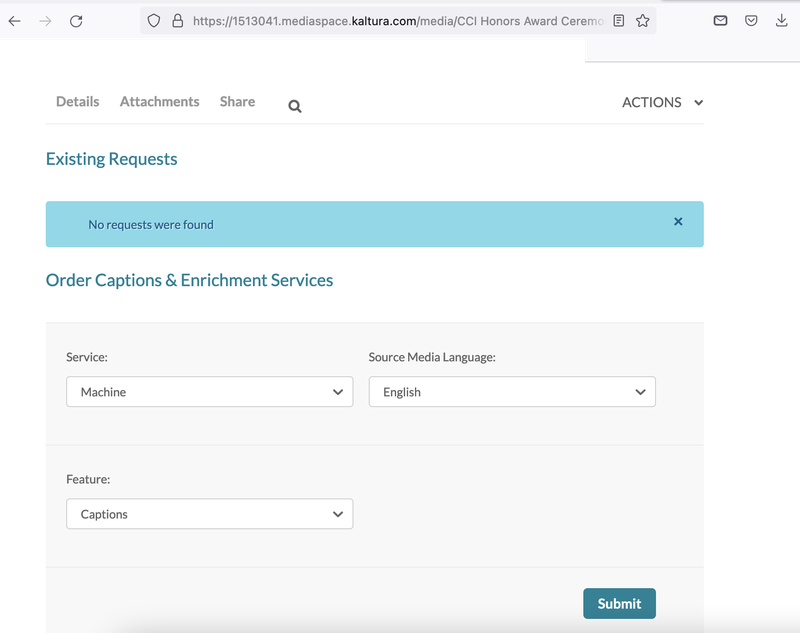

Kaltura Auto-Captioning 5

Still stuck?

The CCI Commons help desk can walk you through it.

Mon–Fri
8am–9:30pm
Sat
9am–6pm
Sun
12pm–5pm

Need help?

The CCI Commons help desk can walk you through it.

Mon–Fri
8am–9:30pm
Sat
9am–6pm
Sun
12pm–5pm