Echo360 -- Analytics
How to view video analytics in echo360
Echo360 is NOW named Echo Video, starting in 2023.
Finding Analytics in Echo Video
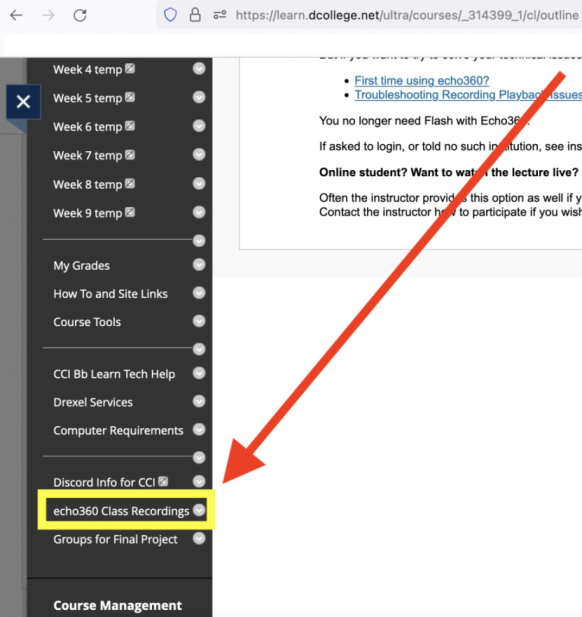
- Click the "Echo Video Class Recordings" (formerly echo360 Class Recordings) link in the left-hand course menu in your Bb Learn course.
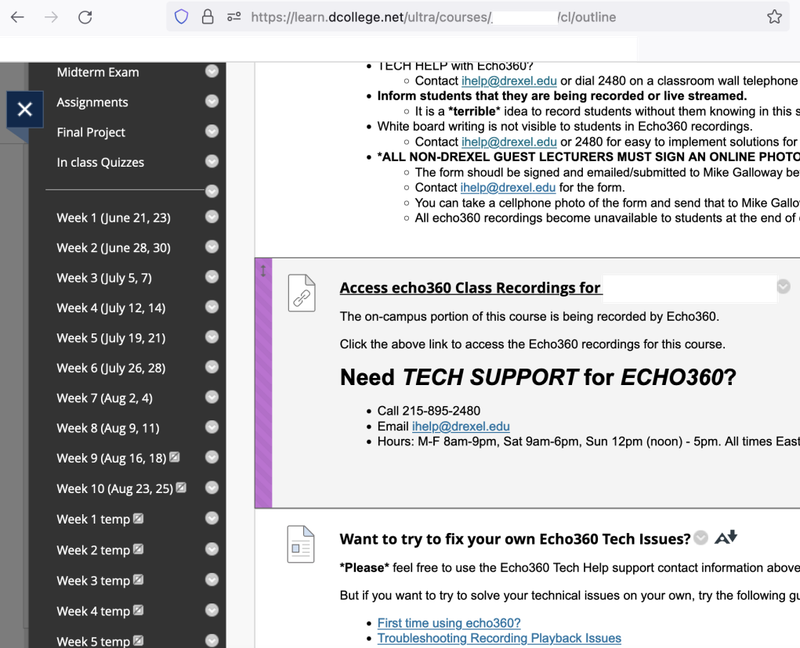
- Click the "Access Echo Video Class Recordings" link (formerly "Access echo360 Class Recordings" link).
- Now that you are on the Echo Video website, click the green arrow for the video you would like to check.
- Then scroll and select the "Details" link.
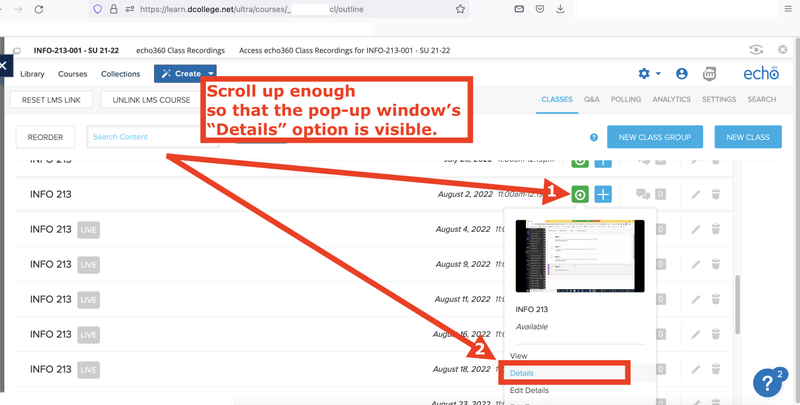
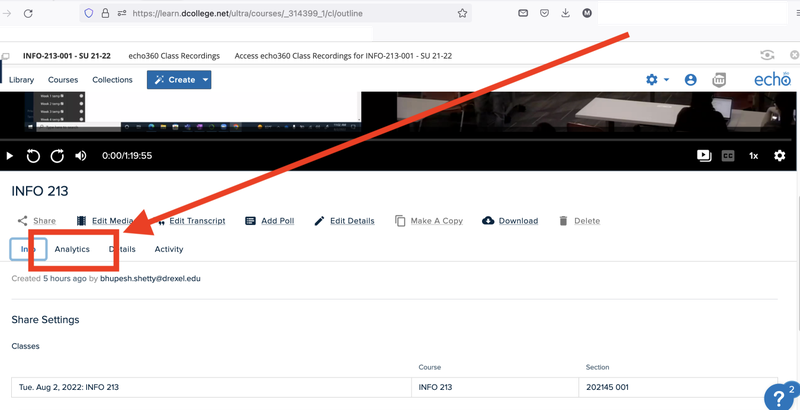
- Now select the "Analytics" tab as shown in the screenshot below.
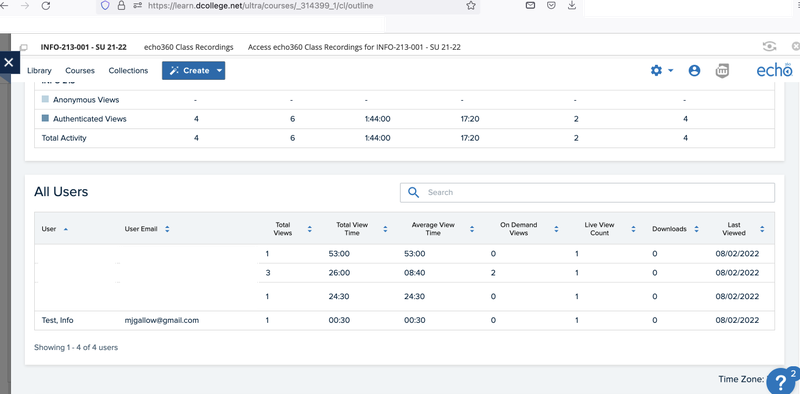
- Here you should be able to see things like view, view time, and engagement. It should similar to the screenshot below.