
Zoom to a specific area in a PowerPoint presentation
Instructions on how to zoom to a specific location on PowerPoint
Instructions on Zooming PowerPoint presentation
- Option 1: View Panel
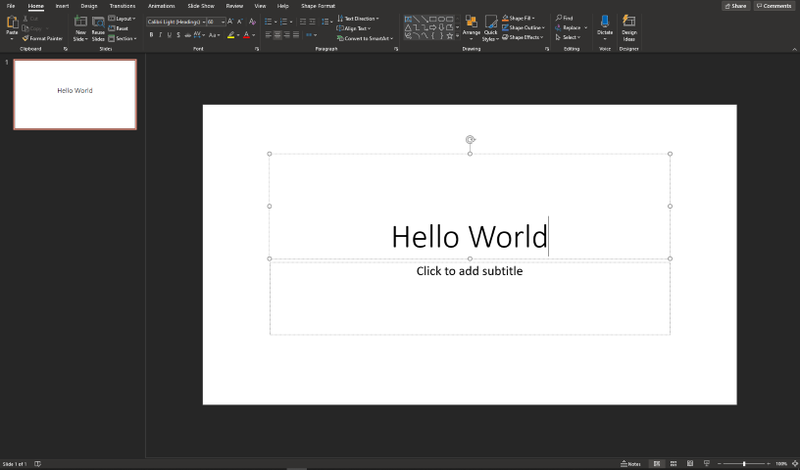
- Here is a normal PowerPoint presentation
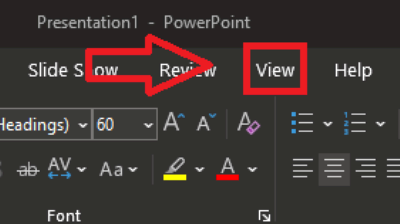
- At the top of the window, click on "View"
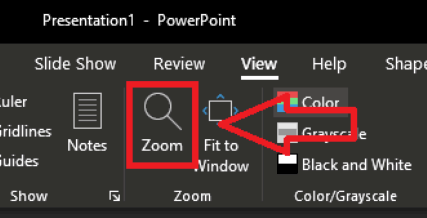
- Then Click on "Zoom" in the new set of tools
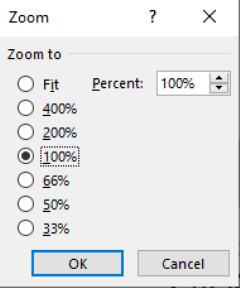
- A new window should appear in the middle of the screen with the settings for Zoom settings
- Option 2: Bottom Right View
- At the bottom right of the presentation, you will see that there is a number with a percentage symbol. Click on that
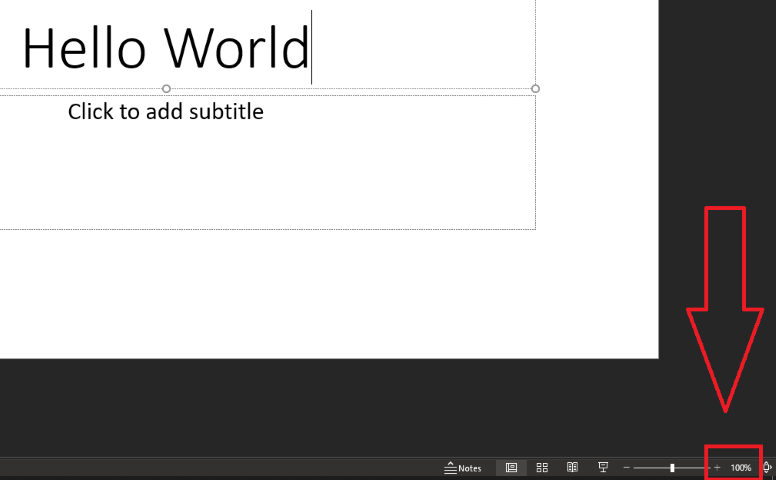
- The Zoom settings will pop up, and you can select your zoom settings from there
- Alternatively, you can follow this guide on adjusting the zoom of the PowerPoint: https://www.howtogeek.com/427697/how-to-zoom-in-and-out-on-part-of-a-powerpoint-presentation/