
Zoom -- Missing or Lost or Deleted Zoom Recordings
Missing or Lost or Deleted Zoom Recordings
Instructions
- Login to https://drexel.zoom.us

- Login if prompted, and click "Recordings" in the left nav.
Check under the "Cloud Recordings" tab first.
"Cloud Recordings" in Drexel Zoom takes 126 days to expire.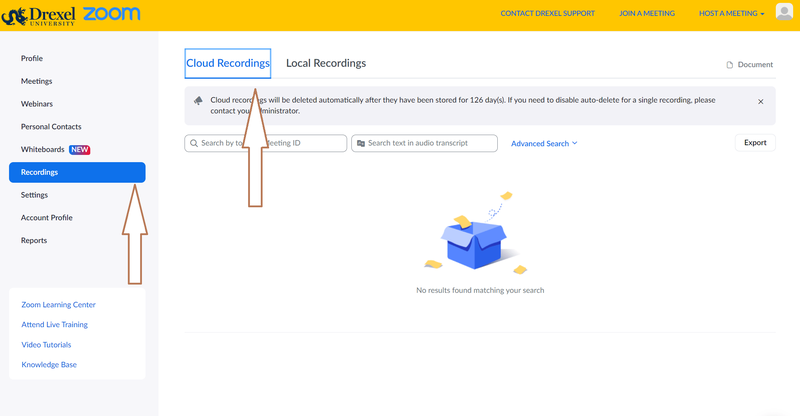
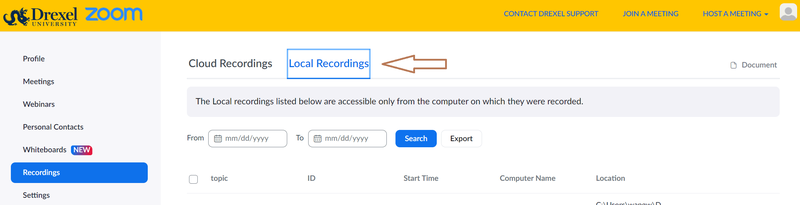
- Then the "Local Recordings" tab second.
- "Cloud Recordings" in Drexel Zoom are ALSO automatically backed up (separate copy) to Drexel Kaltura Streams at https://drexel.edu/it/streams.
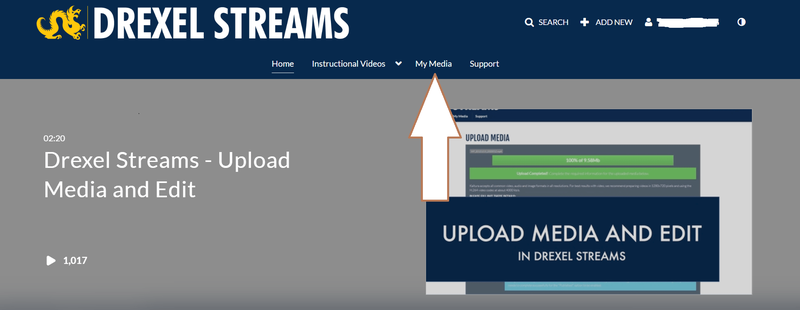
- Login, if prompted, to Drexel Kaltura Streams.
Click "My Media."
Search or browse what is there.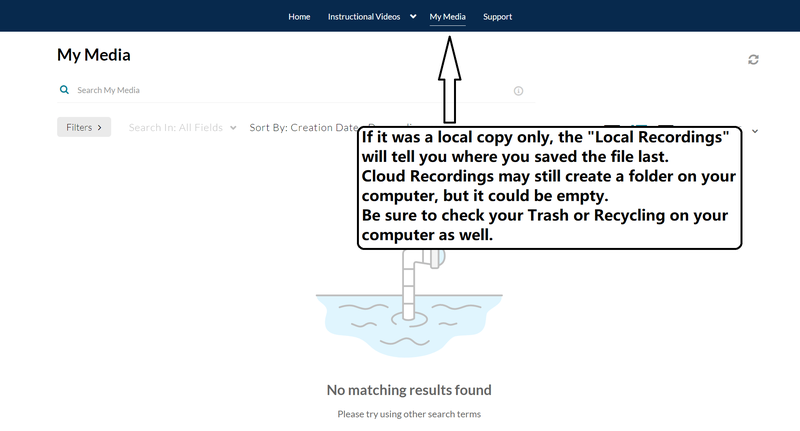
Very Old Zoom Recordings May Be in OneDrive.
- If it's a really old recording, from June 9, 2021 or so or before, you might find it in OneDrive.
- Go to https://portal.office.com .Login if prompted.
- Click the 9-dot icon in the upper left.
Click "OneDrive."
And look for a "Zoom Recordings" folder.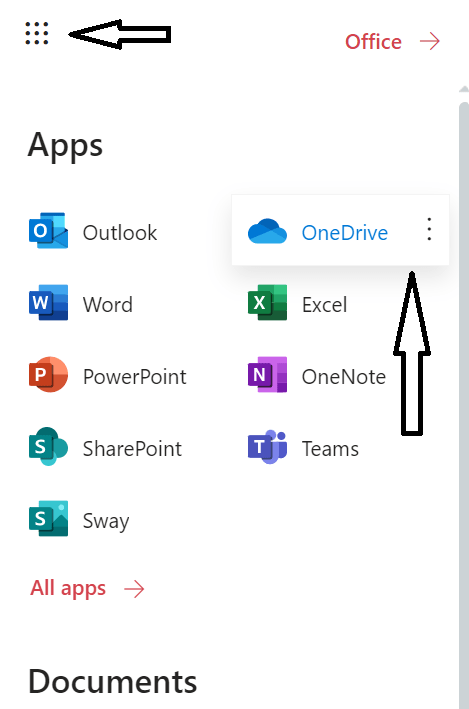
Notes & Troubleshooting
- If you saved the recording to a Drexel computer, and OneDrive was set-up on it, it's possible OneDrive was set to backup your Desktop, Documents, and Downloads.
- It's possible you can use the above instructions to get to OneDrive on the web and look in your deleted items there and see if the recording is there or in a space where deleted items are kept for a bit before they are truly purged.
- If you still can't find the recording, contact zoomadmin@drexel.edu, and see if they can assist in locating the recording.